Introducing Tidemark: web analytics that doesn't watch your visitors
Tidemark is a privacy-first, one-page web analytics tool. No cookies, no stored IP addresses, and you can host it yourself or let me host it for you.
Contents
I’ve been running websites for a long time, and for most of that time I’ve had an uneasy relationship with analytics. I want to know whether anyone reads what I write. I don’t want to hand a profile of every visitor to an ad network, throw a cookie banner over my pages, or wade through a dashboard with forty tabs to find out how many people showed up yesterday.
So I built the analytics tool I wanted. It’s called Tidemark, and as of today it’s open to everyone.
Measure the tide, not the footprints.
What it is
Tidemark is web analytics that counts how many people visit and what they look at, without tracking who they are.
- No cookies. Nothing is stored in your visitors’ browsers, so there’s nothing to ask consent for.
- No stored IP addresses. An address is used for a moment to work out a country and a rough region, then it’s gone.
- Visitor ids that change every day. A returning visitor can’t be followed from one day to the next, by me or anyone else.
- One light page. The whole dashboard fits on a single screen, and the tracking script is tiny, so it doesn’t slow your site down.
The idea is simple: if you never keep the data, you can’t lose it, leak it or be asked to hand it over.
The dashboard
Here’s the real thing. This is the live, public dashboard for this very site, and you can poke around it yourself.
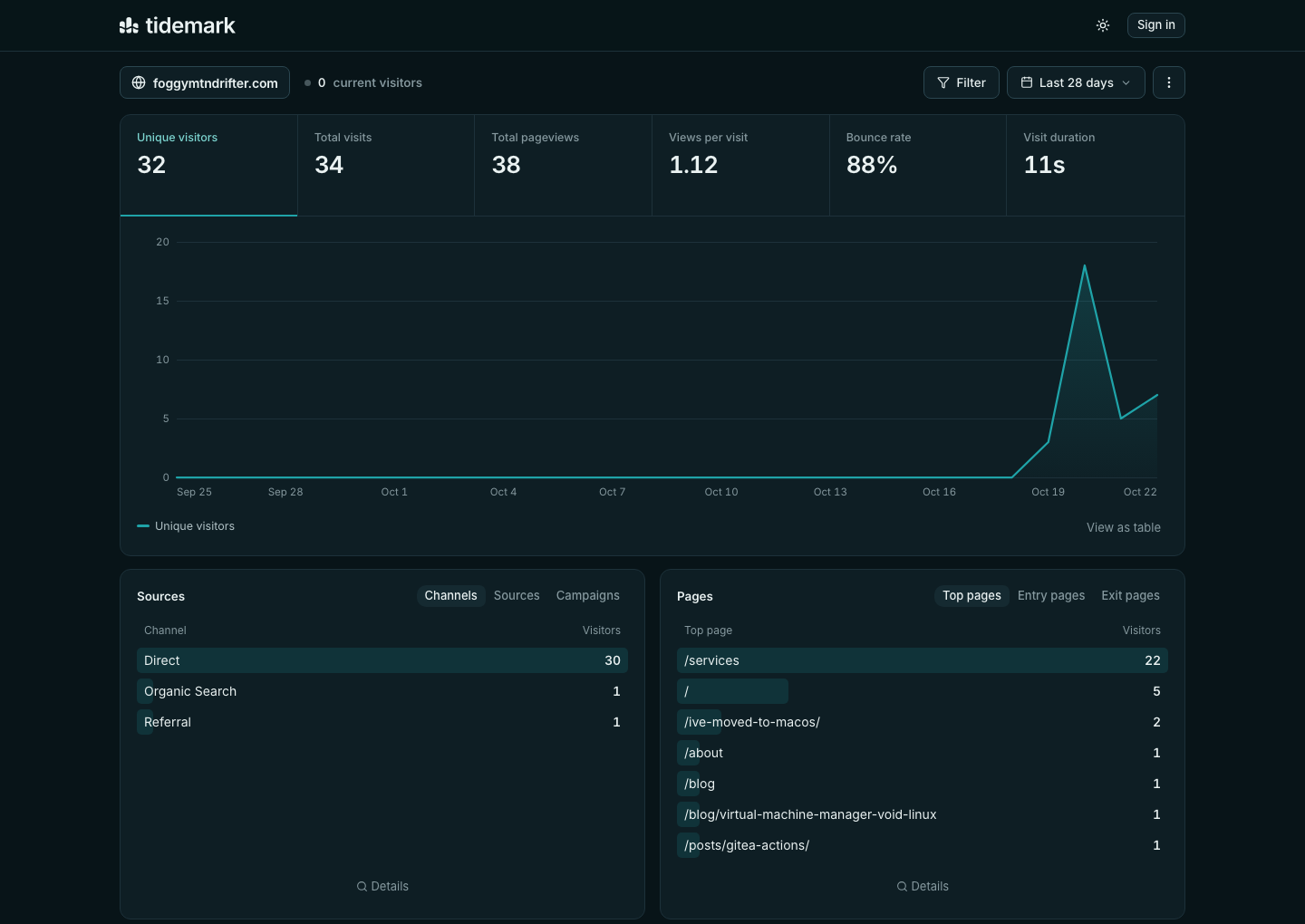
Across the top are the six numbers I actually care about: unique visitors, total visits, pageviews, views per site, bounce rate and visit duration. Pick one and the graph below follows it. Underneat you get the reports you’d expect: where visitors came from, which pages they read, where in the world they are, and what they browse with.
A few things I like about how it works day to day:
- Click anything to filter. Click “/services” in the pages list and the whole dashboard is now about that page. Combine filters with is, is not, contains or wildcards like
/blog/*. - Compare periods. See how this week stacks up against last week, or against the same week last year.
- Every chart has a table view, and every list opens into a searchable details view.
- Keyboard shortcuts for the time ranges, because I’m that kind of person.
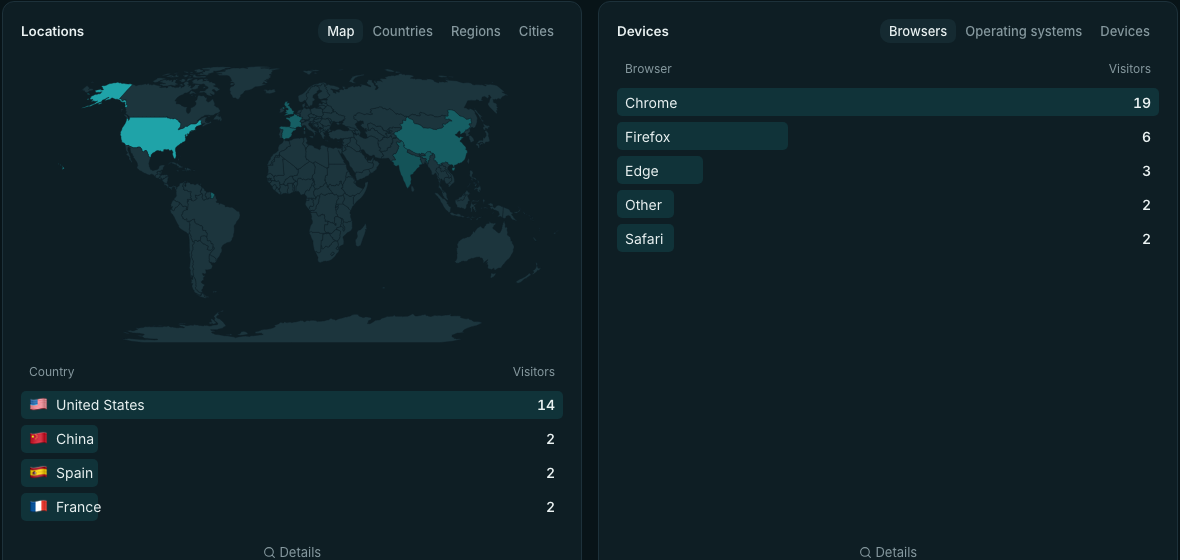
Locations come with a world map and drill down from countries to regions to cities. Devices split into browsers, operating systems and device types.
Goals, events and sharing
Pageviews are only part of the story, so Tidemark also tracks custom events (a signup, a download, a click on a button) and goals. Optional script variants cover outbound links, file downloads and form submissions without writing any code. Filter by a goal and the dashboard flips into a conversion view.
You can also share a dashboard. Make it fully public, as I’ve done for this site, or create a private link with an optional password. There are owner, admin and viewer roles if you work with other people, and two-factor sign-in to protect your account.
Two settings I reach for a lot: Shields, which keep your own visits (or a bot’s) out of the numbers by IP address, country or page, and retention rules, which delete raw data after however many days you choose.
Two ways to run it
Tidemark Cloud is the easy route. Sign up, add your site, paste one line into your pages, and you’re done. There’s nothing to install and nothing to keep patched.
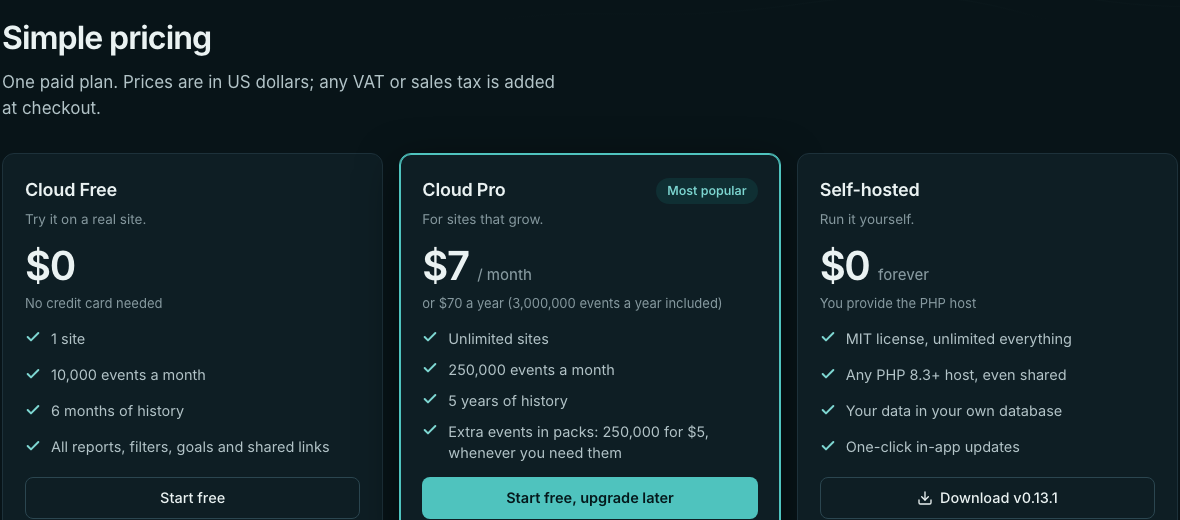
- Free: one site, 10,000 events a month, six months of history, and every report, filter, goal and shared link. No credit card.
- Pro, $7 a month ($70 a year): unlimited sites, 250,000 events a month, five years of history. If you ever need more, extra events come in packs of 250,000 for $5, bought only when you want them, so there are no surprise bills.
You can cancel any time, and there’s a full refund within 30 days of any payment, no questions asked.
Self-hosted is the other route. Tidemark is open source under the MIT license, and it runs on any PHP 8.3+ host, including cheap shared hosting. There’s a web installer, one-click updates, and your data lives in your own database. You get everything, with no limits and no cost.
And you’re never stuck: any site can be exported from Cloud and imported into a self-hosted install, or the other way round.
Coming from somewhere else?
If you’ve used Plausible, Tidemark will feel familiar. Its Stats API and Events API follow the same formats, so existing tools and scripts are a short hop away. I’d rather be upfront about what’s missing, too: there are no funnels or session replay yet, and no importing from other analytics tools. If you need those today, Tidemark isn’t it, and that’s fine.
Try it
- Look first: this site’s public dashboard
- Sign up free: app.tidemarkanalytics.com/register
- Read more: tidemarkanalytics.com and the docs
- Run it yourself: github.com/tidemark-analytics/tidemark
If you try it, I’d genuinely like to hear what you think, and what’s missing. You can reach me at the contact page on this site.
Comments
Loading comments…