The Parts of My Site You Never See
Most of what I have built on this site lately lives behind a login: an admin panel, a booking system tied to my calendar, and a whole pipeline for freelance work, from the first inquiry to the last invoice.
Contents
When I wrote about rebuilding this site, almost everything in that post was something you could see. The glass, the search box, the comments that look like texts.
Most of what I have built since then lives behind a login. You will probably never see any of it, so I figured I would show you around.
It needed a back end first
The site used to be static. Every post was a file in a repository, and changing anything meant editing that file and pushing it up. That is fine for a blog. It is not fine for a site that takes bookings, stores comments and sends invoices.
So the site moved to Laravel, with a Postgres database behind it and Filament for the admin panel. The pages you read look the same as they did, and I tried hard to keep it that way. What changed is that there is now a real place for things to live.
An admin panel that fits how I work
The admin is where I write posts, edit pages, approve comments and change the bits of the About page that used to be hard coded, like the gear I use and the car I drive.
The first version grouped things by how the code was organized, which made sense to exactly nobody, including me. I ended up reorganizing it around what I am actually doing when I open it:
- Work is the day to day stuff, in the order a job moves through it: leads, calls, estimates, agreements, projects, invoices.
- Website is everything a visitor sees: posts, pages, comments.
- Setup is the stuff I change once in a while, like prices and settings. It sits at the bottom, folded away.
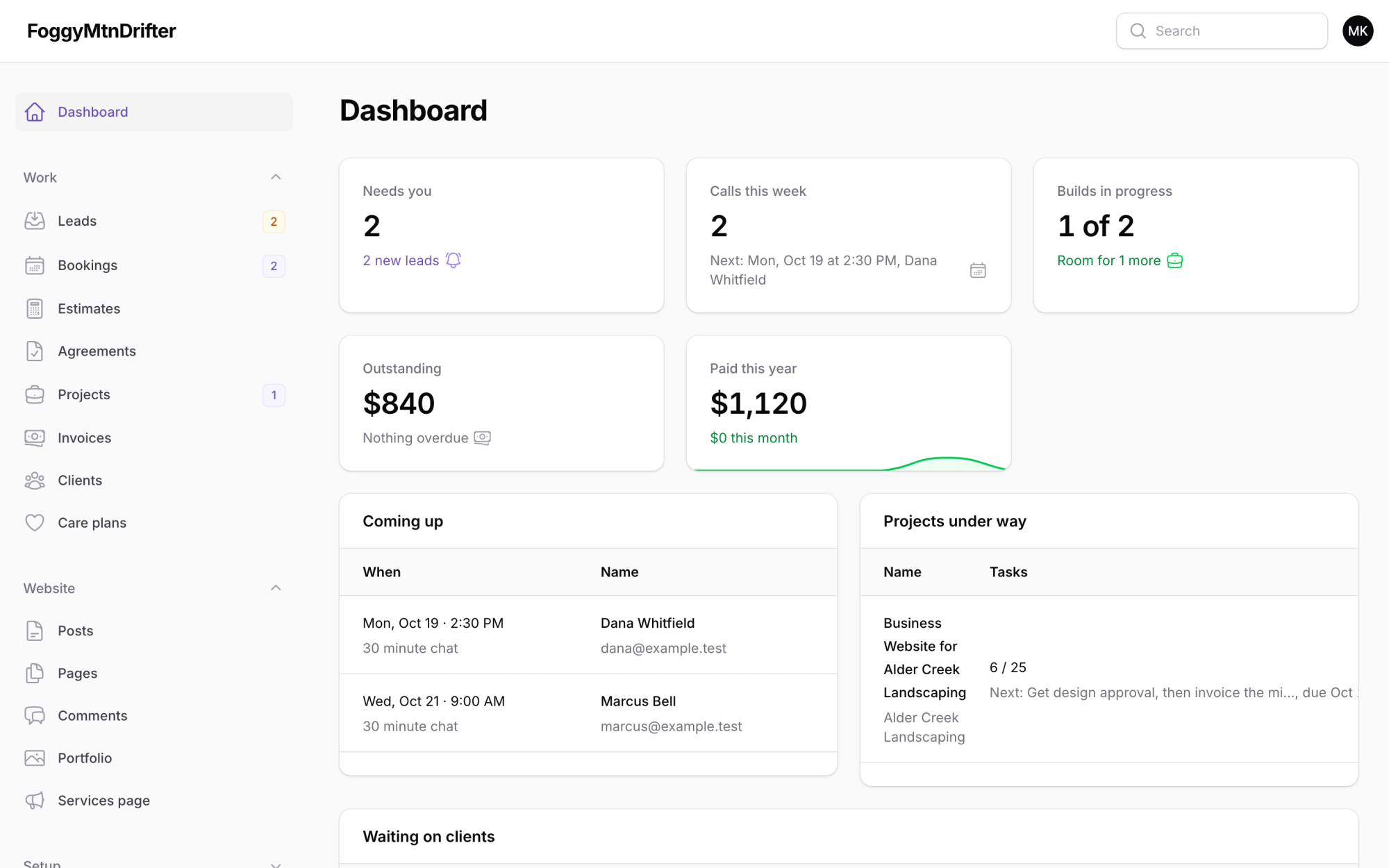
The dashboard works the same way. It tells me what needs me right now (a new inquiry, an agreement waiting on my signature, an invoice that didn’t go out), what calls are coming up this week, and how each project is doing against the hours I estimated. If there is nothing to deal with, it says so, which is my favorite thing it does.
A booking page that reads my calendar
People can book a call with me now without any back and forth over email. The booking page reads my iCloud calendar over CalDAV to see when I am busy, offers the open times in the visitor’s own time zone, and puts the booking straight onto my calendar when someone picks a time.
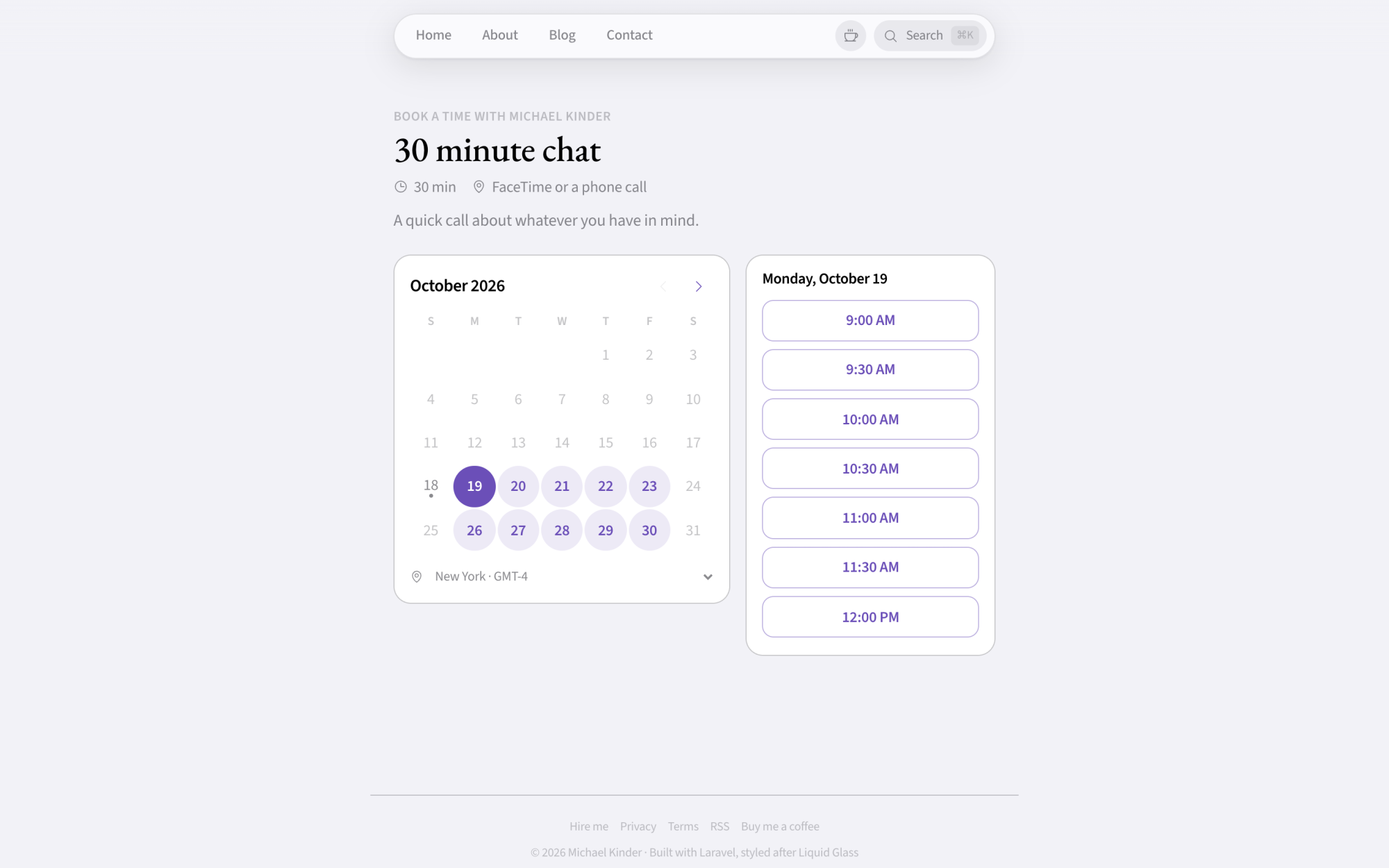
The part I spent the most time on is the part nobody notices when it works. Two people can’t grab the same slot at the same moment, because the final check happens under a lock. If my calendar can’t be reached for some reason, the page shows no times at all instead of guessing, because a double booking is worse than a page that says try again in a minute. Recurring events, all day events marked as free, and buffers before and after a call all get handled.
Each booking also comes with a private link to move or cancel it, so nobody has to email me to reschedule.
Freelance work, from inquiry to invoice
This is the big one. I take on website work for small businesses, and I wanted the whole process to run through my own site instead of being spread across four different apps.
It goes like this.
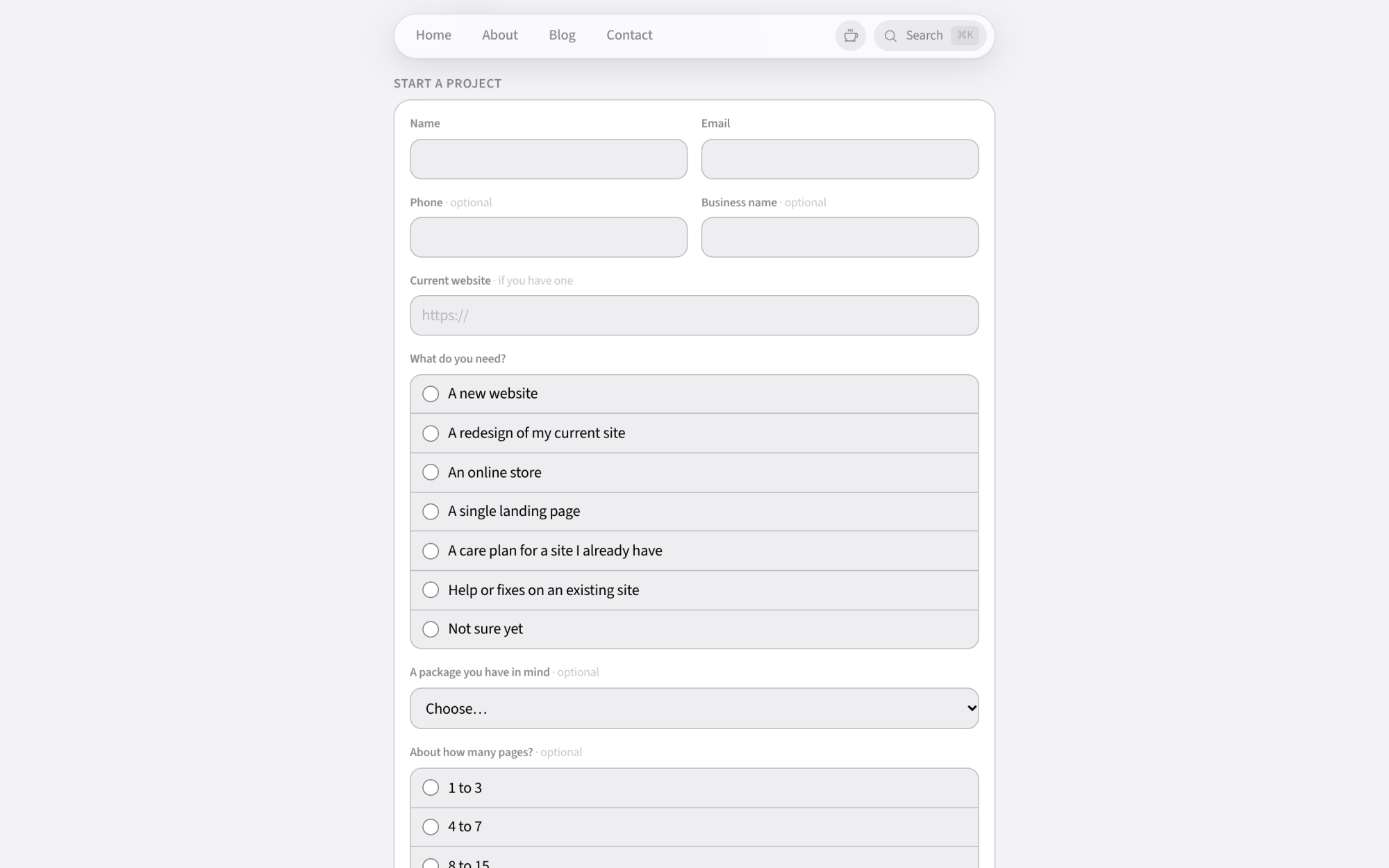
Someone fills out the project form. It asks the questions I would ask on a first call anyway: what they need, about how many pages, their budget, their timeline, whether their content is ready, and who makes the final call. Before I read it, the site takes a first pass at it using my own prices. It works out which package it sounds like, roughly what that would cost, and whether the budget covers it. Only I ever see that part. It is a head start for the conversation, not a decision, and nothing gets accepted or turned down automatically.
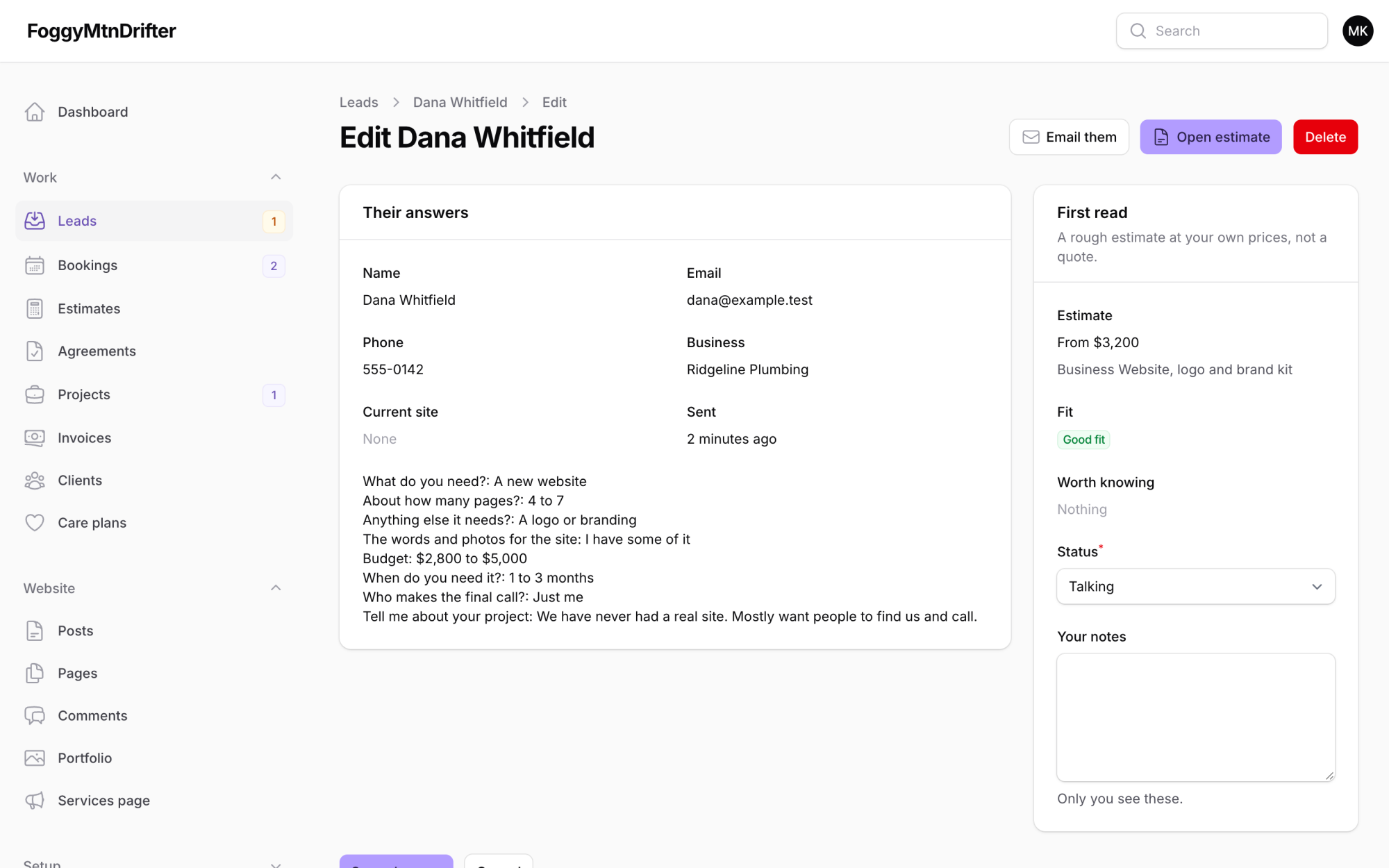
I build the estimate. One click turns the inquiry into a draft estimate with the right package, add-ons and payment schedule already filled in. When it looks right, the site creates it in Wave, my accounting software, and Wave emails it to the client.
They accept, and the agreement goes out. Wave can’t tell my site when something changes, so every few minutes the site asks it. When an estimate comes back accepted, the client gets a link to sign my services agreement right on my site.
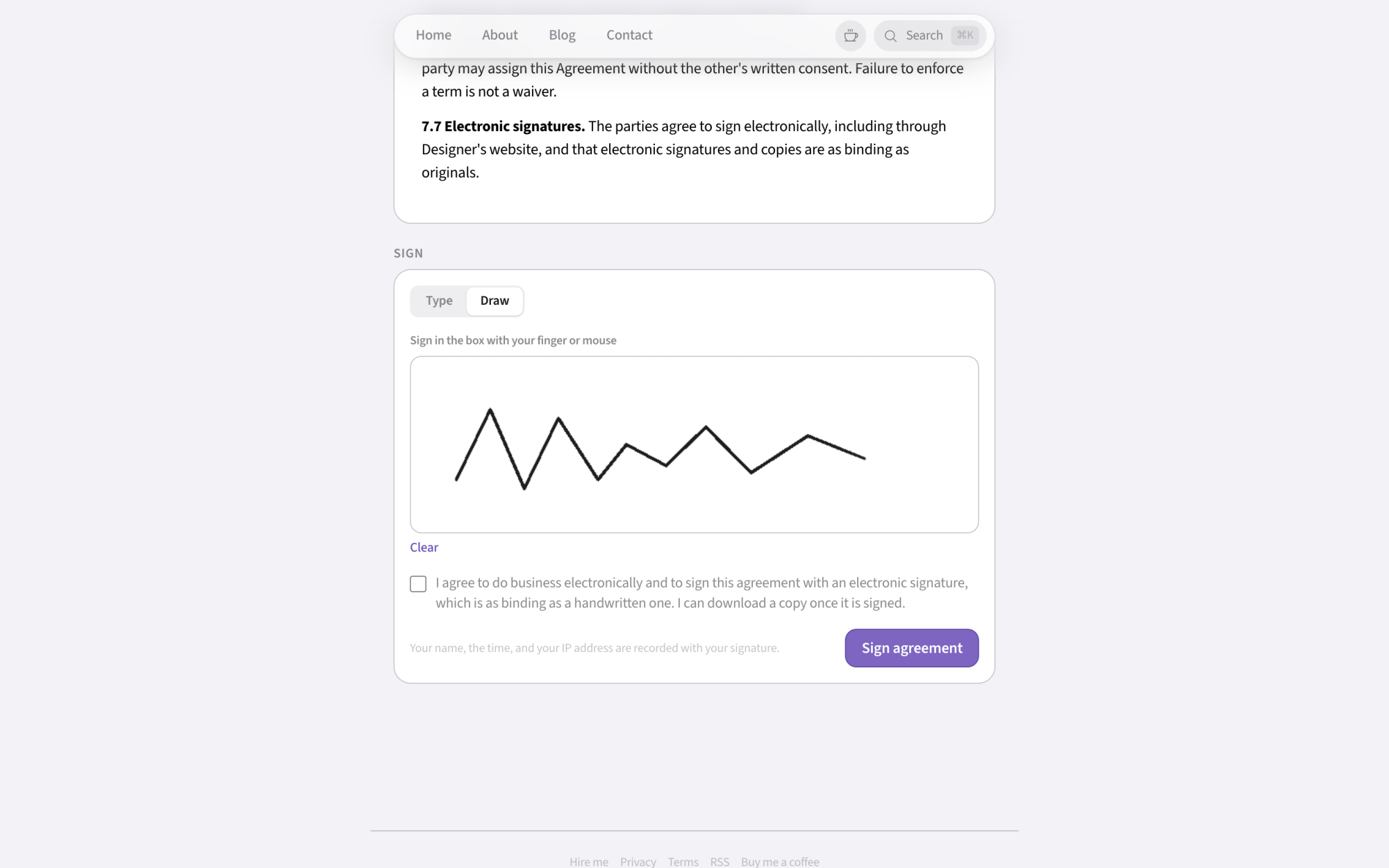
I was careful with this part. The agreement itself was reviewed by an attorney, and the signing page keeps a proper record: the exact text they saw, a fingerprint of that text, their IP address, their browser, and the time, plus a log of every time the link was opened. They can type their name or draw a signature, and they get a PDF with a certificate page showing all of that. Once they sign, I countersign from the admin and we both get the final copy.
The deposit invoice goes out on its own. As soon as the agreement is signed, the deposit invoice is created in Wave and sent. When that gets paid, the project starts by itself.
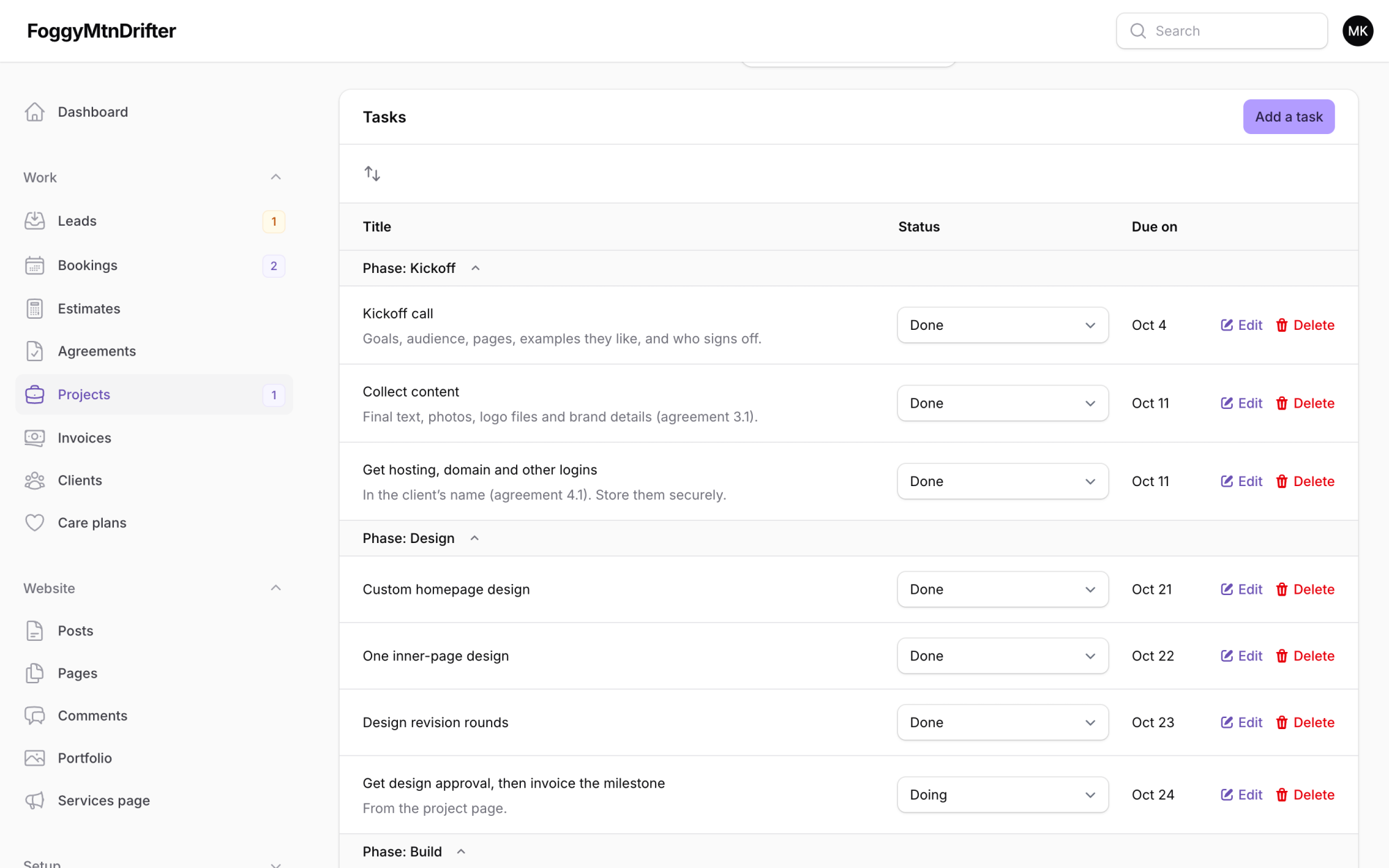
The project shows up with its to do list already written. Each package has a template of tasks, from the kickoff call to adding the finished site to my portfolio, so I never have to remember what comes next. I log my time against each project, and the site compares it with the hours I estimated. If a project runs more than 15 percent over, it flags it, because that is my cue to look at whether that package is priced right.
The rest of the billing hangs off the project. Design approval and launch each get invoiced with a click. Hourly work gets billed in 15 minute steps. Care plans get billed on the first of every month, and the site does that itself, because Wave’s API can’t make recurring invoices.
None of this is visible from the outside, and that is the point. A client just gets an estimate, an agreement and an invoice that all line up with each other.
Pictures in posts, without the location data
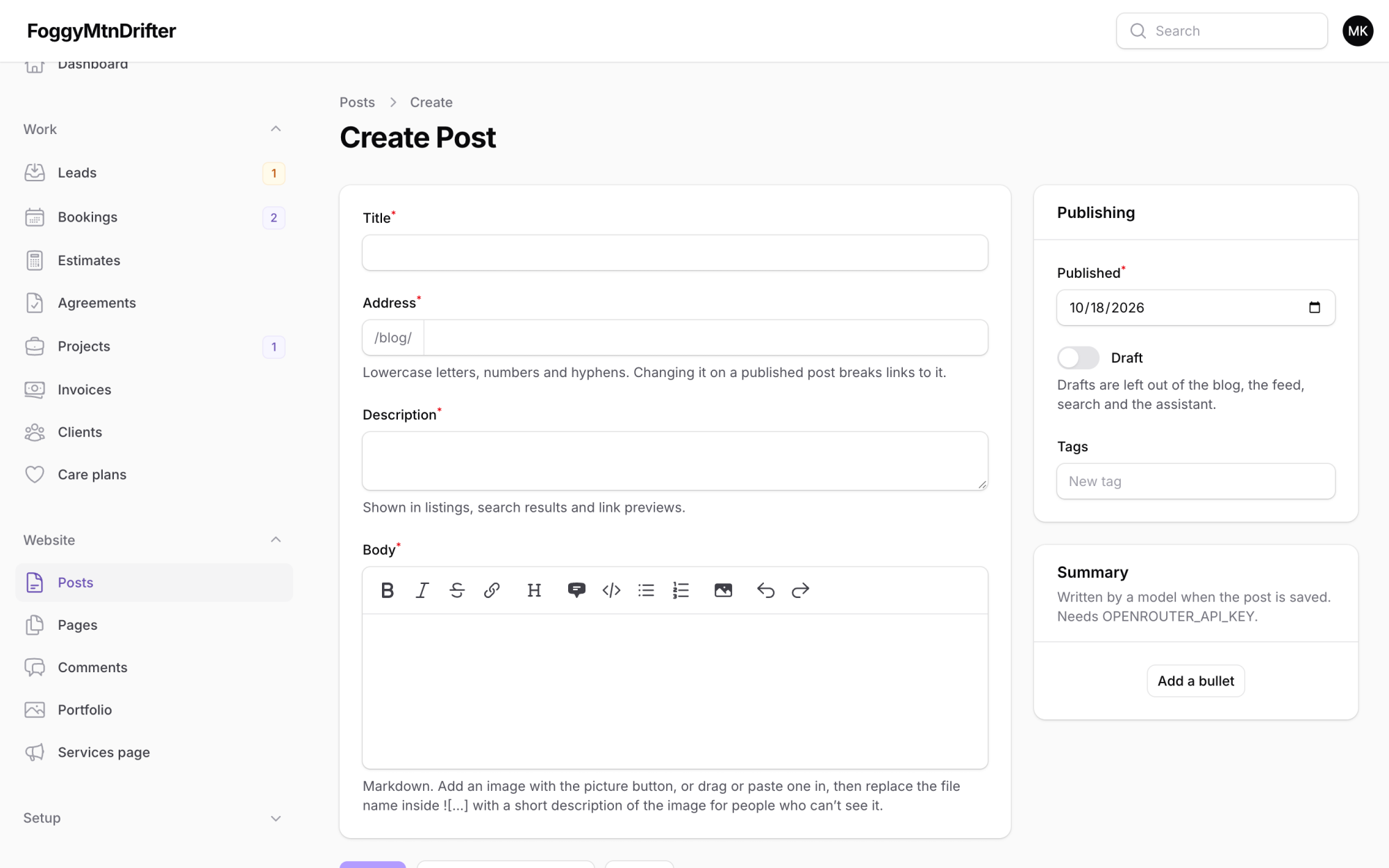
A smaller one: I can drop images straight into a post now. Every upload gets turned the right way up, scaled down to something reasonable, and saved again from scratch.
That last step matters more than it sounds. A photo from a phone usually has the GPS coordinates of where it was taken tucked inside it. Saving it again throws all of that away, so a picture of my desk doesn’t come with directions to it.
What I learned
A few things stuck with me from building all this.
The boring checks are the real work. The booking page took an afternoon to look right and much longer to be right. Locks, time zones, what happens when a service is down, what happens when someone clicks twice. Nobody will ever notice any of it, which is how you know it is working.
Test against fake services, always. At one point, testing the signing page on my own computer quietly created a real invoice in my actual accounting software, because the test setup still had a real key in it. It went to an email address that can’t receive mail, so no harm done, but I had to go clean it up by hand. My local setup blanks those keys now.
Organize things around the job, not the code. The admin panel only started making sense once I stopped grouping things by what they are and started grouping them by when I need them.
If you are a small business looking for a website, the front end of all this is the project form. If you just like poking at how things are built, hopefully this was a fun look behind the curtain.
Want a site like this for your business?
I design and build them. See my work, my prices and how to start.
Comments
Loading comments…